
CX Tech Top-ups: You’re Invited to Our Software Training Webinar!
Come join the product experts at Intouch Insight as they give powerful product demos so you can elevate your customer experience game.
1 min read

Here at Intouch Insight, we are always releasing new features to make our user’s experience as seamless as possible. This month, we added a new feature to the Intouch Insight Platform.
Intouch Insight Platform
Do you have a long list of dashboards and need help quickly figuring out which is which, without having to open them all? We have now added the ability for users to choose an icon for their dashboards.
To set an icon, click the triple dots beside the dashboard title. From here, select settings. Click the icon square and choose any icon from the list. By setting a different icon for each dashboard, users can quickly find what they are looking for without having to check multiple dashboards.
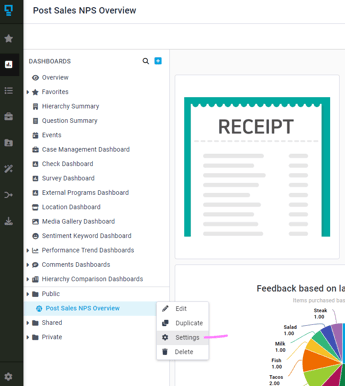
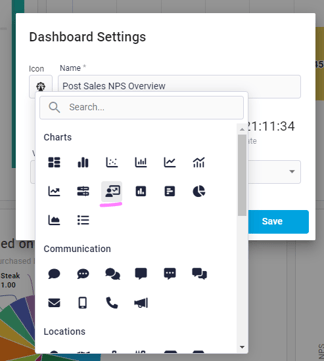
If you or your team have any new ideas or features that you would like to share, please send us an email at letschat@intouchinsight.com

Come join the product experts at Intouch Insight as they give powerful product demos so you can elevate your customer experience game.
 Olivia McEwen : June 22, 2026
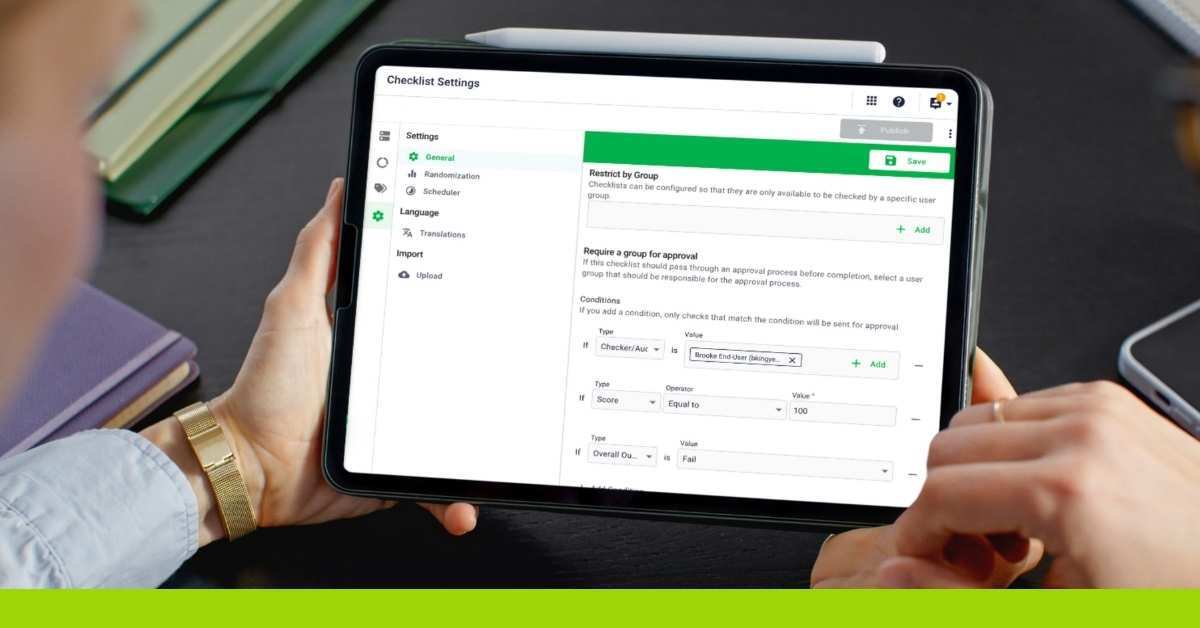
Managers should not have to review every audit to catch the ones that matter most. Streamline your quality program with multi-condition approval...
Elevate your performance with Intouch Insight's latest feature—a new year enhancement to custom dashboards, empowering you to stay at the top of your...